



Point at what you want changed
Mark a part of your website with Point, and your assistant knows exactly which part you mean.
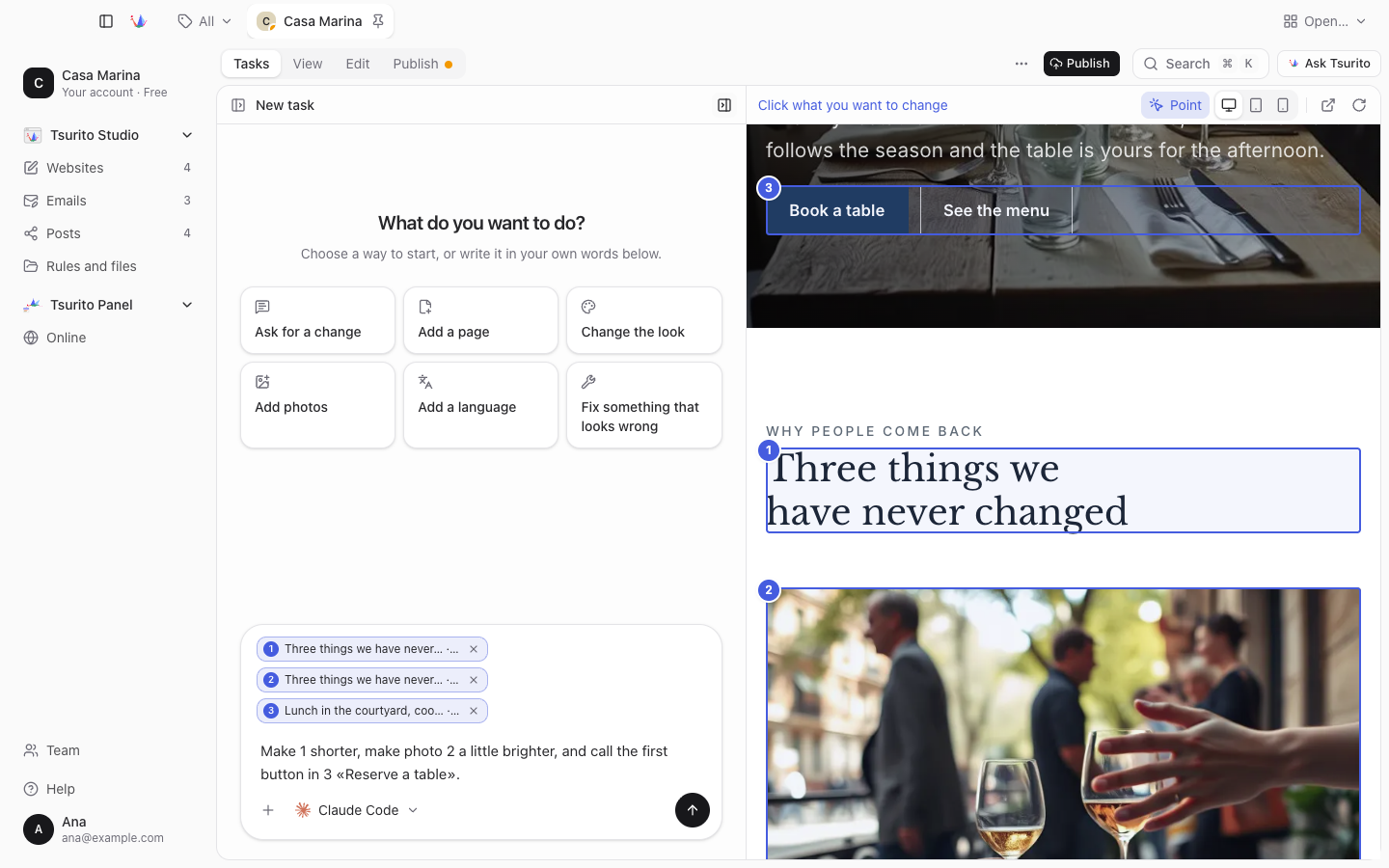
Press Point in the bar above your website, in Tasks with the website beside the chat or in View, and click what you want changed: a title, a picture, a button or a whole section. Each part gets a number on the website and a label with the same number in the box, up to six at a time, so you can write «make photo 1 brighter». Your assistant is told the page, the part, its text and a small picture of it, and your message keeps them after the website changes. It works the same in the computer, tablet and phone views.